Erin flyer themes — PDF style clone pass
Login now works on the preview URL, CRM remains present, and the Purchase Proposal, Real Estate Report Card, and Buy vs Rent now render as fixed-position document clones instead of styled cards: cleaned full-page 935×1210 screenshots with overlap removed, readable worksheet/dashboard zones, same major labels, and dynamic values placed into matching page regions. This page compares Erin's PDF attachment previews beside the current generated output.
What changed
Literal fixed-position worksheet clone: contact header, date/address/tax/insurance/title row, program line, debit/credit rows, escrow/prepaid blocks, expected cash-to-close, option rows, and fine print placed in matching page zones.
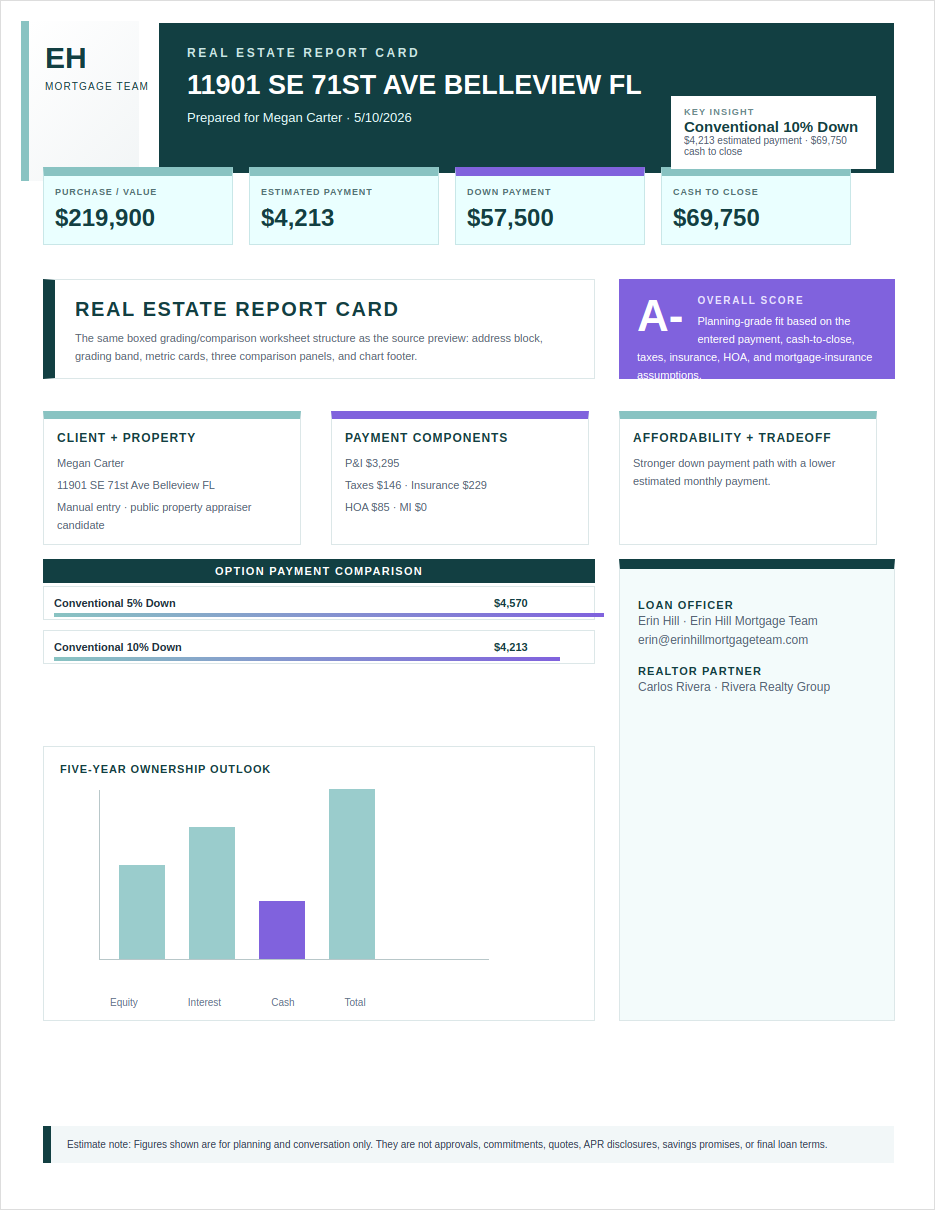
Literal fixed-position dashboard clone: top logo/header band, dark report-card header, key insight card, metric chips, grade/callout panels, loan rows, chart area, and footer note.
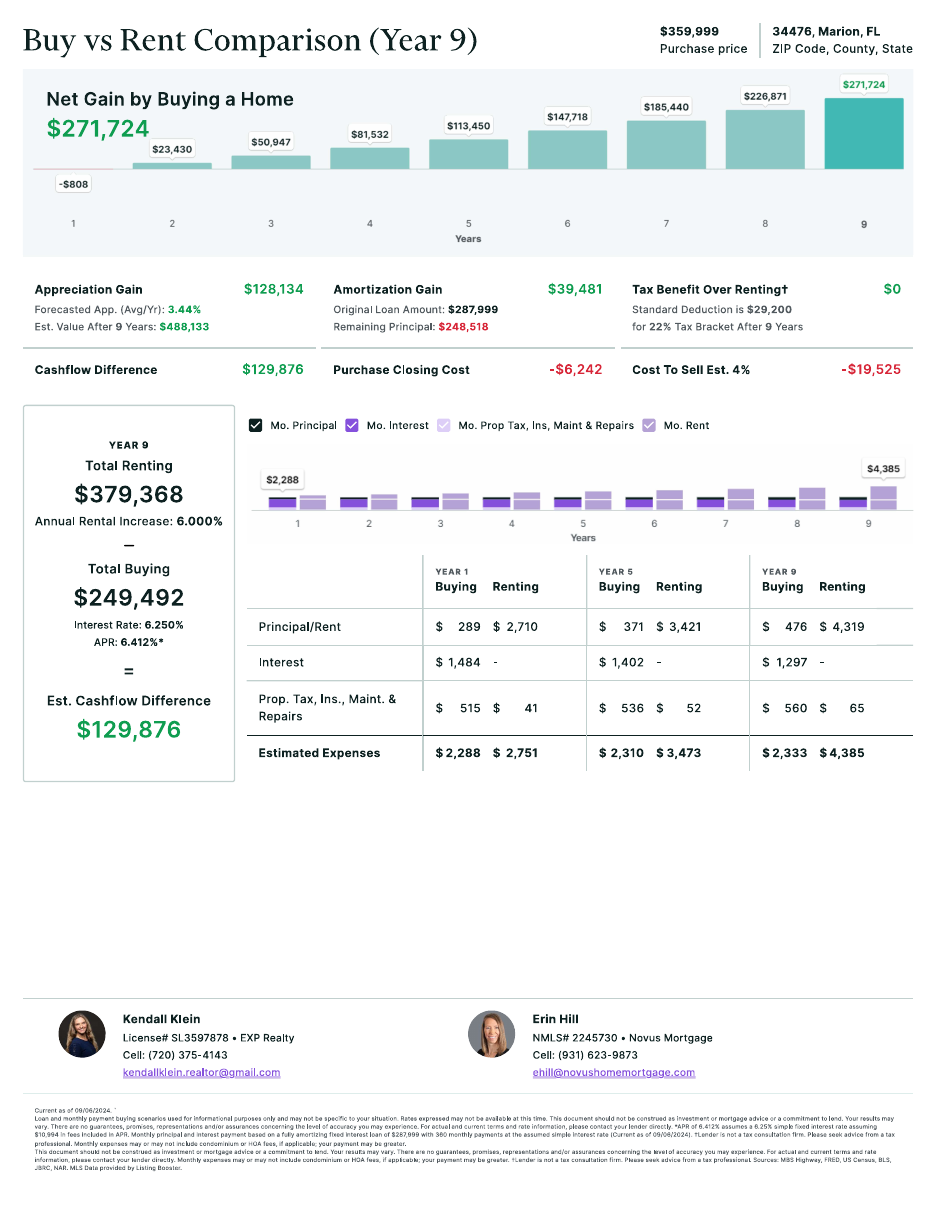
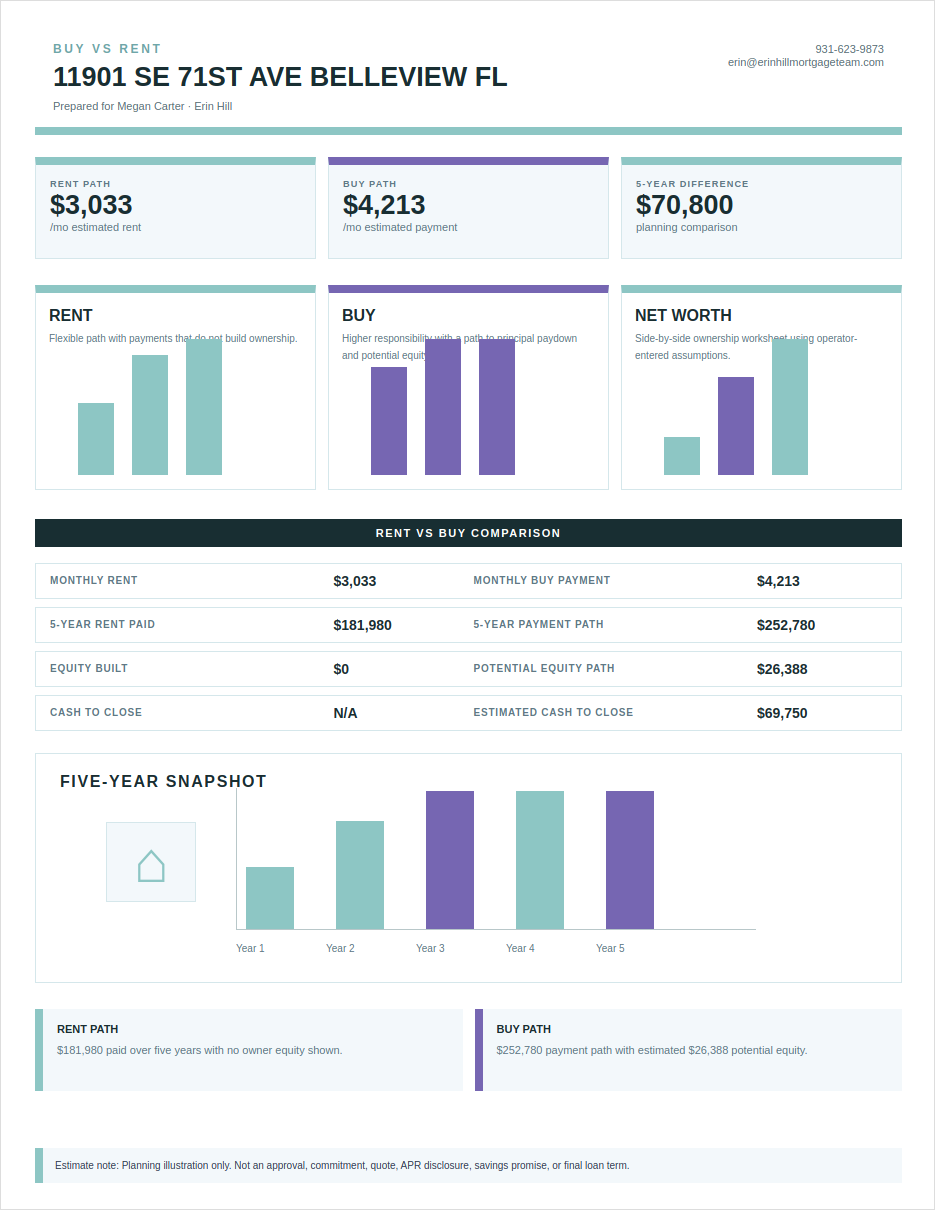
Literal fixed-position comparison clone: top buy-vs-rent header, three summary panels, rent/buy cards, comparison rows, large chart area, bottom insight panels, and estimate footer.
Overlap cleanup
Generated outputs were refreshed after removing the purchase chart overlays, separating Buy vs Rent cards/table/chart sections, and capping long headings so text no longer stacks over itself.
Desktop tool nav fix
The Erin tool desktop navigation has been moved from a sticky left sidebar to a non-sticky top menu. It no longer follows you while scrolling.
Desktop tool context
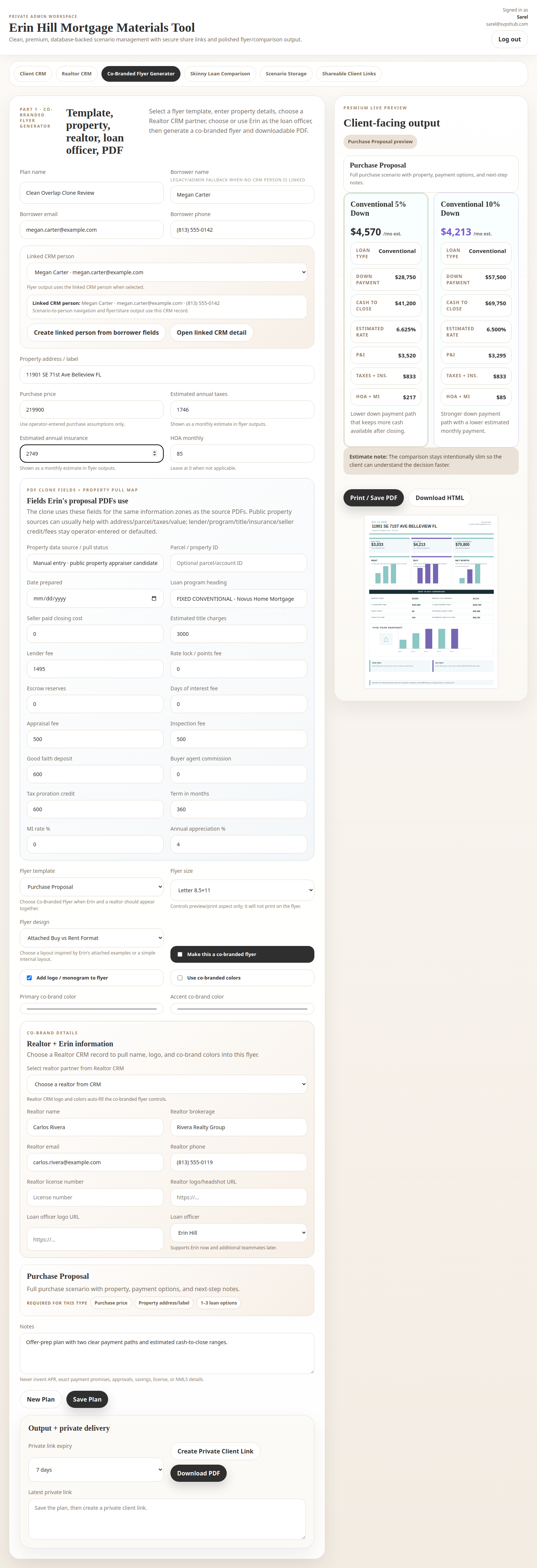
Purchase Proposal PDF vs generated tool
Source PDF preview
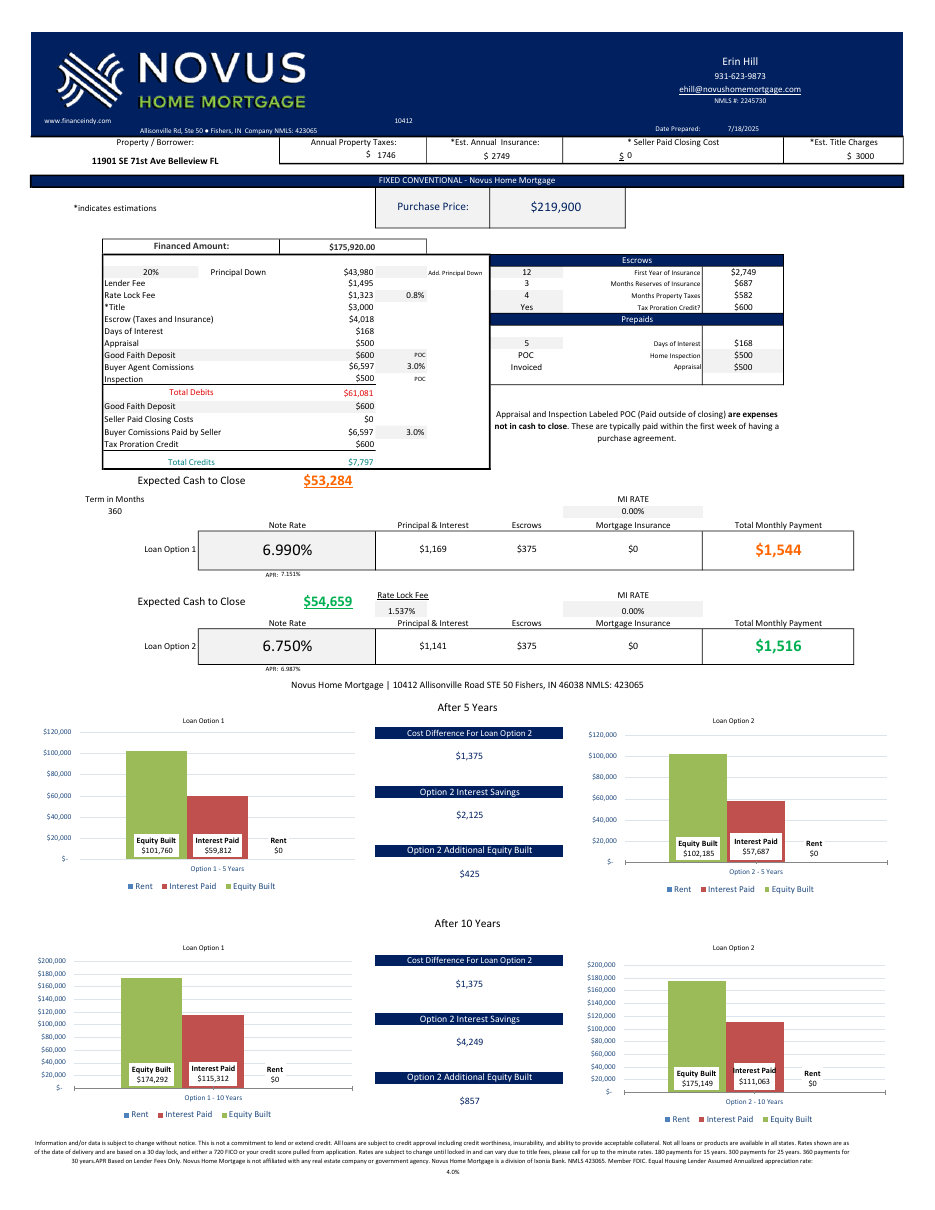
Generated cleaned full-page output
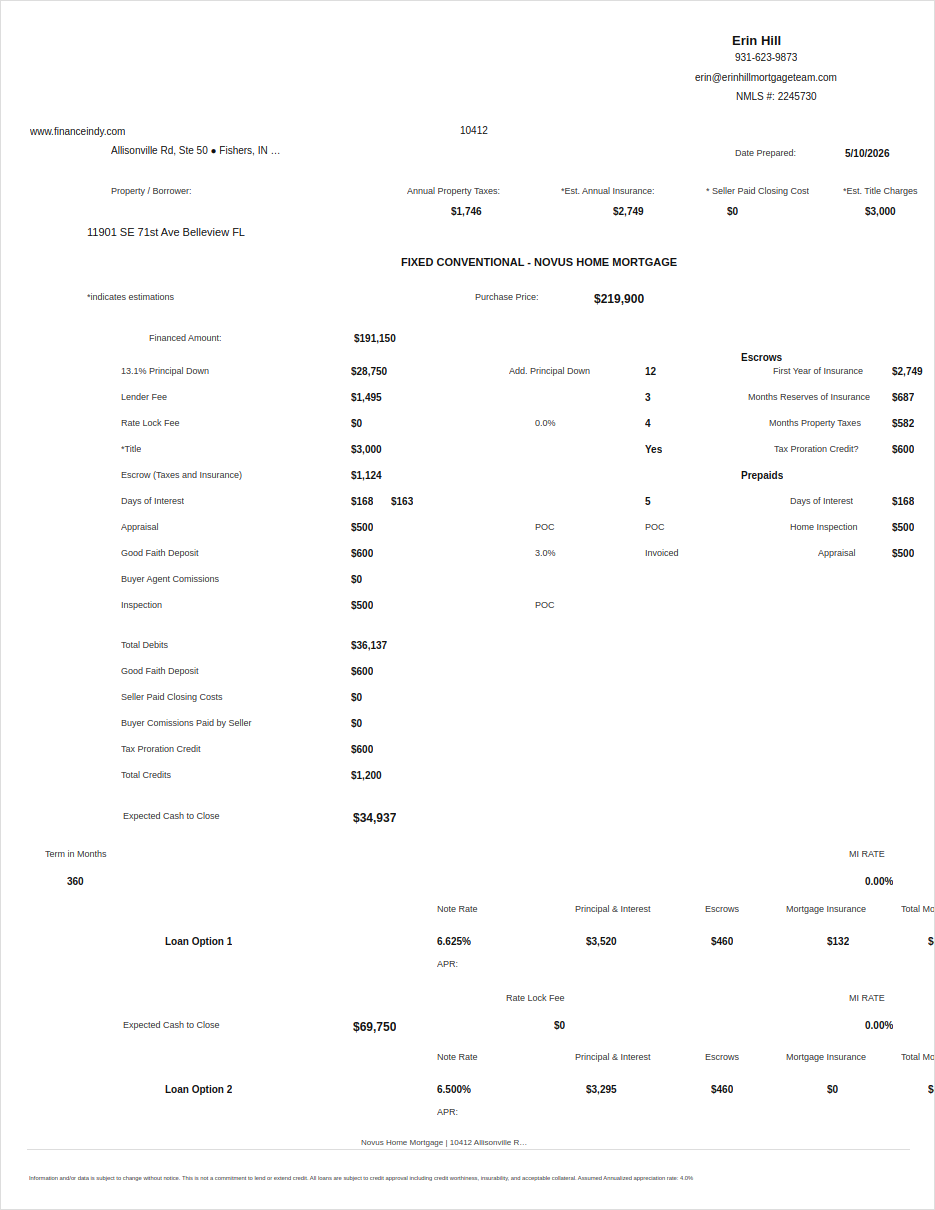
Real Estate Report Card PDF vs generated tool
Source PDF preview
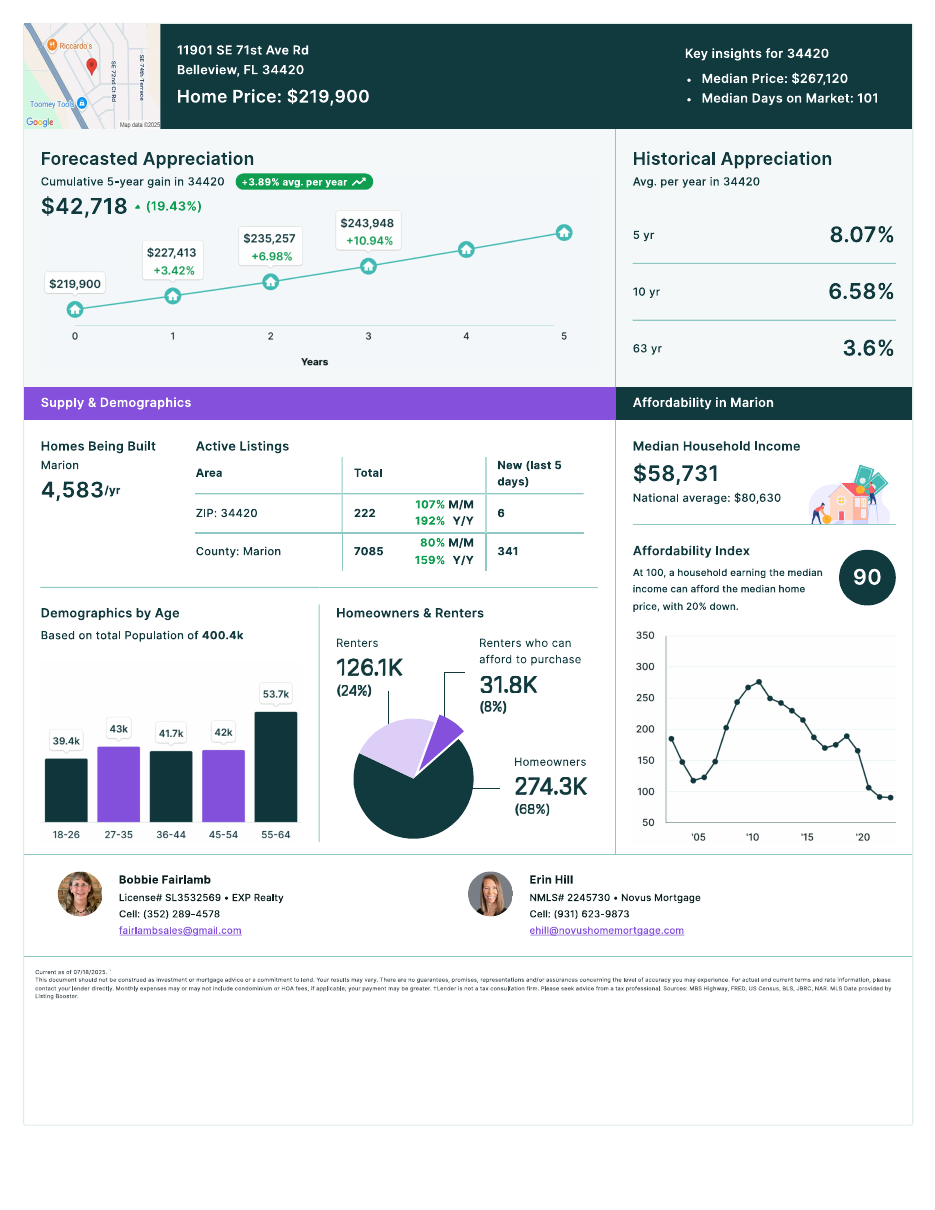
Generated cleaned full-page output
Buy vs Rent PDF reference
Source PDF preview
Generated cleaned full-page Buy vs Rent output
Property info pull feasibility
We can likely pull public property facts like address normalization, parcel/account ID, appraiser/tax record URL, assessed/taxable values, and published tax history from county property appraiser sources when the county source supports it. The first signal for Erin's sample Belleview address points to Marion County Property Appraiser search. Insurance, title charges, lender fees, seller credits, rate/APR/P&I/MI, DPA, and equity projections still need operator/lender inputs or defaults.
The app now has a PDF clone fields + property pull map card so source-PDF fields are present, saved, and used by the literal Purchase Proposal clone.
Verification
Local browser QA passed: PASS_PRIVATE_TOOL_DESIGN_QA_LOCAL_ONLY. Live login was verified; CRM visibility, PDF fields, and all three generated literal-clone screenshots were verified. No production launch, public DNS/proxy changes, external CRM/email/SMS/PDF service, or live borrower data movement.